Troubleshoot
Resolve microphone discovery issues
Resolve a network loop warning on RoomHub
RoomHub won't power on
RoomVision XL camera not discovered
RoomVision camera not discovered
AudioIQ optimisation not running
RoomHub does not connect to Pleneo Cloud
Laptop doesn't detect RoomHub over USB
No audio from Sonia speakers
No audio from a RoomDesign Ceiling speaker
Troubleshoot
Troubleshoot
Edited
RoomHub won't power on
Steps to get RoomHub powered when it isn't turning on.
Overview
RoomHub is powered over PoE on LAN 1. If it won't power on, the cause is almost always the port it's connected to or the switch's available power. Work through the checks below.

Check the network connection
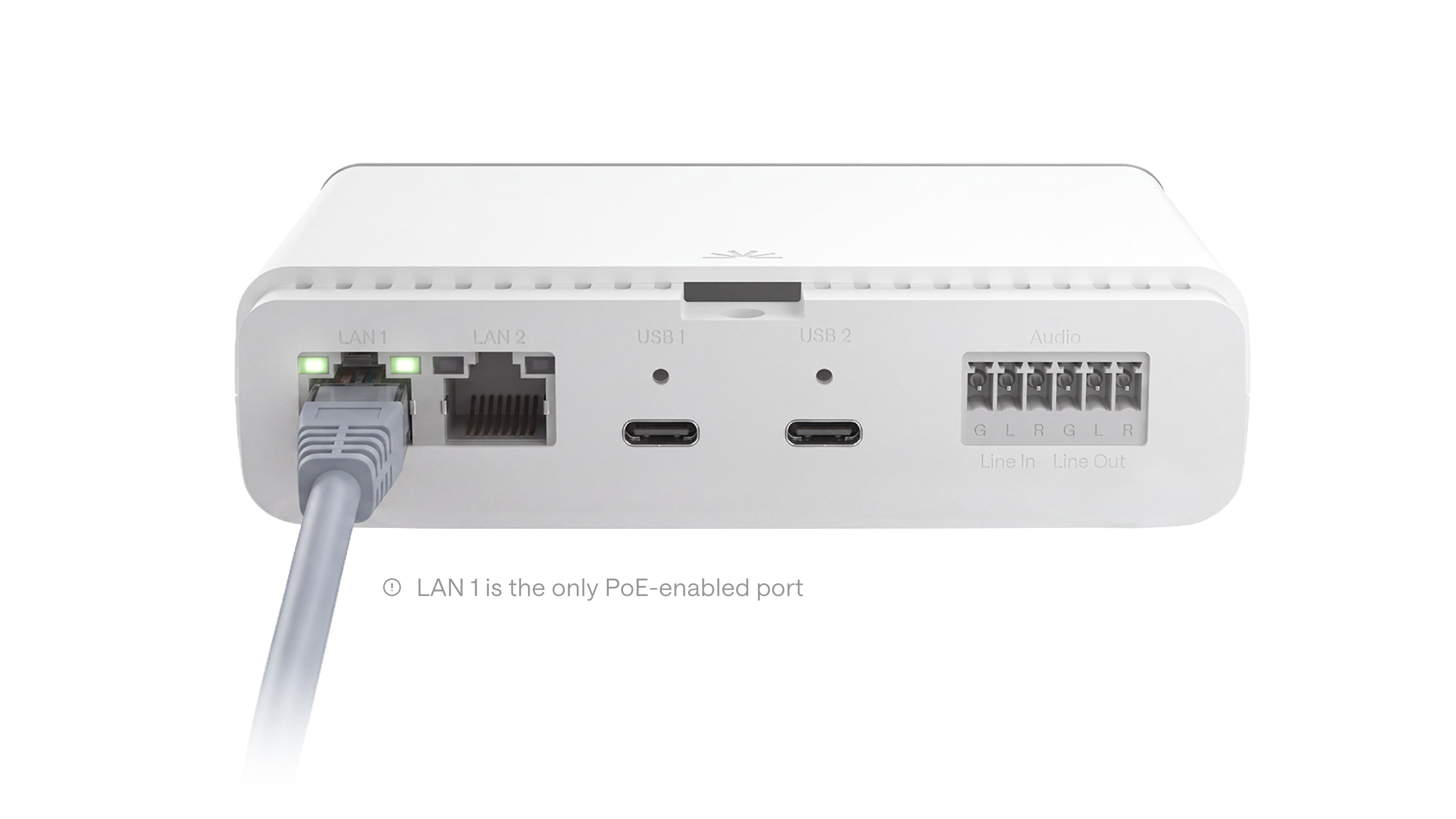
Make sure LAN 1 on RoomHub is connected, and confirm the switch supports PoE.
Only LAN 1 provides power to RoomHub. Connecting to LAN 2 won't power the device.
Verify PoE availability
If RoomHub is on LAN 1 and the switch supports PoE but the unit still won't power on, try a different PoE-enabled switch or port.
Tip: the switch's PoE power budget may already be fully used, which can stop additional devices from receiving power.
Result
Once RoomHub is connected to a PoE-enabled port with enough power available, it powers on automatically. If it still won't power on, generate a diagnostic report and contact Pleneo Support.