Troubleshoot
Fix uneven volume in a Pleneo Room
Resolve a network loop warning on RoomHub
RoomHub does not power on
RoomVision XL camera not discovered
RoomVision camera not discovered
AudioIQ™ tuning not running
RoomHub does not connect to Pleneo Cloud
No sound from Sonia speakers
No sound from RoomDesign Ceiling
Troubleshoot
Troubleshoot
Edited
Resolve a network loop warning on RoomHub
This usually happens when both LAN ports on RoomHub are connected to the same network.
Overview
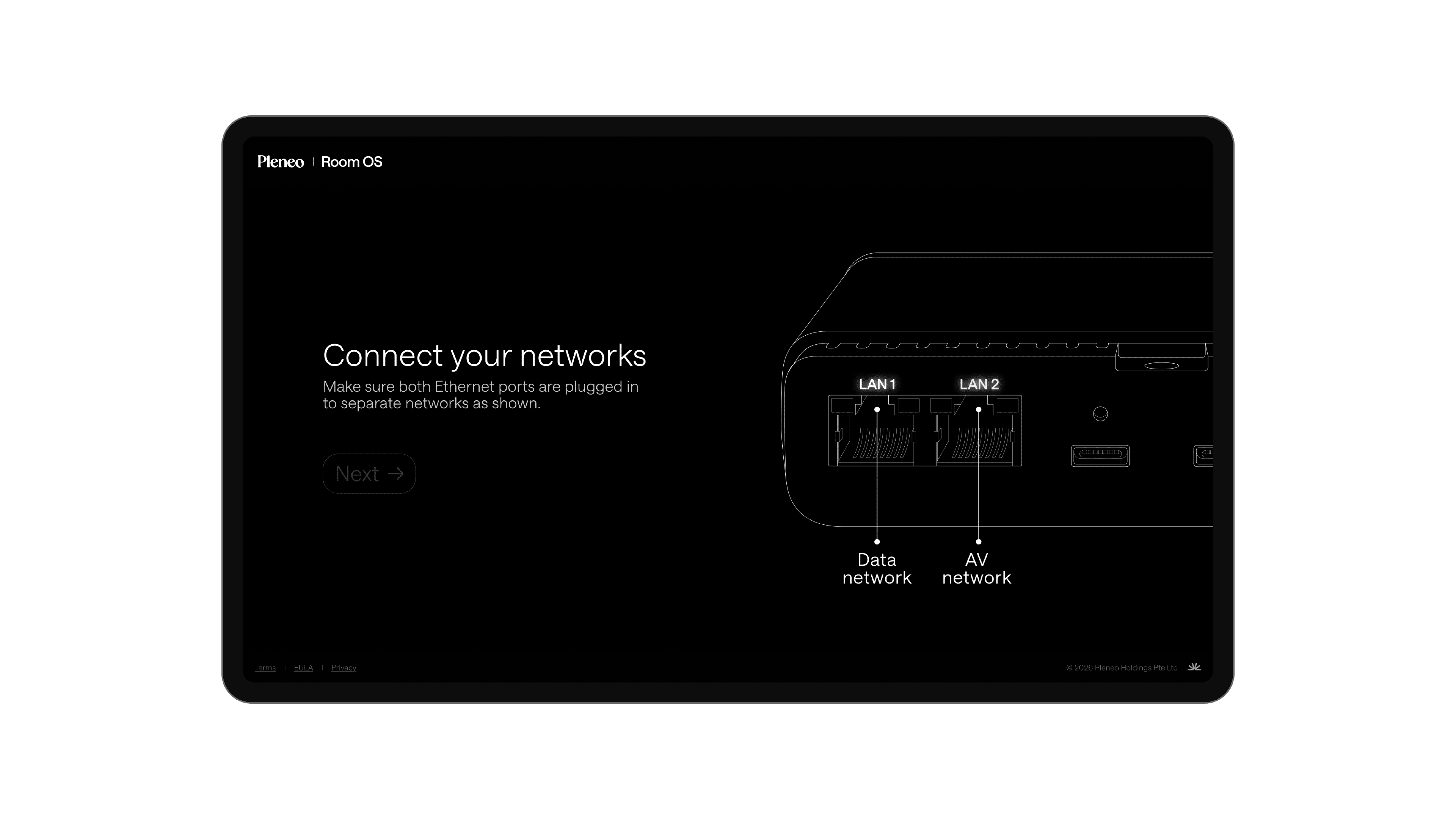
RoomHub has two independent, fully isolated ports — there's no bridging or forwarding between them:
LAN 1 — control and management
LAN 2 — AV network (AV and Dante traffic)
When both ports land on the same broadcast domain, some switches read this as a loop and raise warnings.
———————————————————————————————————————————————
Fix it
Use separate networks.
Connect LAN 1 to the control or corporate network.
Connect LAN 2 to the AV or Dante network.
Tip: If you don't need AV/Dante traffic yet, disconnect LAN 2 and run RoomHub on LAN 1 only while you set up the AV network.
———————————————————————————————————————————————
Result
Separate control and AV traffic, and RoomHub works as expected.