Deploy
Installation
Edited
Installing the Sonia System
A distributed audio setup that mounts directly to the ceiling, with standard network cabling.
Before you begin
Confirm the following before installation:
Your network switch or PoE adapter supports PoE+ (or PoE++ for higher output)
Sonia C5 speakers are mounted in the ceiling
The Sonia Amp, speakers, and microphones are powered off
Starting from powered off avoids issues on first startup.

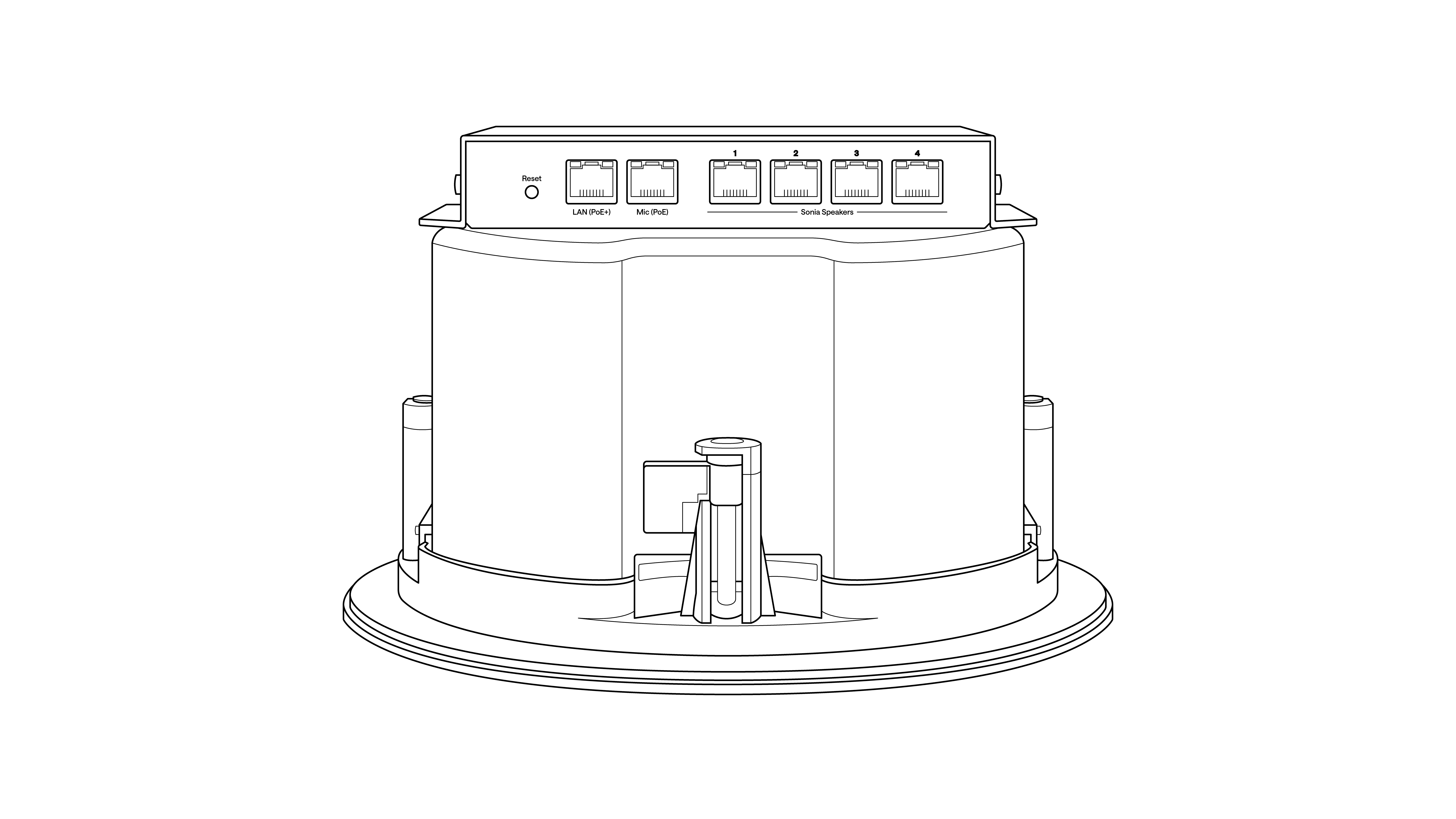
Attach the Sonia Amp
Mount the Sonia Amp directly onto one of the installed ceiling speakers. No separate rack or enclosure is required.
The Amp:
Powers and controls the connected speakers
Provides connection points for microphones and other devices
Connect the speakers
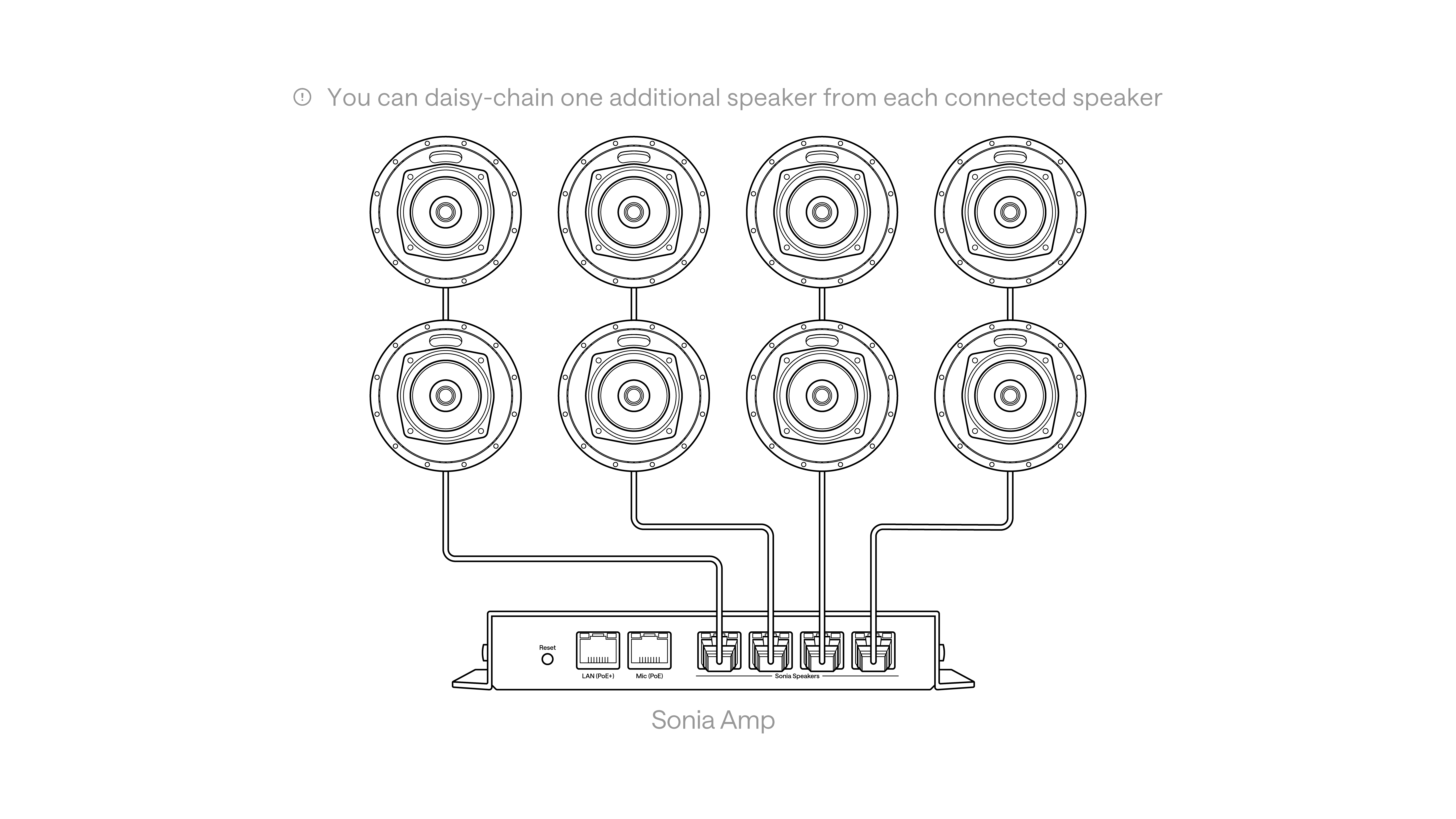
Connect the speakers using standard network cables:
Connect up to four Sonia C5 speakers directly to the Sonia Amp
To expand coverage, daisy-chain one additional speaker from each connected speaker, for up to eight speakers per Amp
This gives even coverage with simple cabling.
Connect the microphone
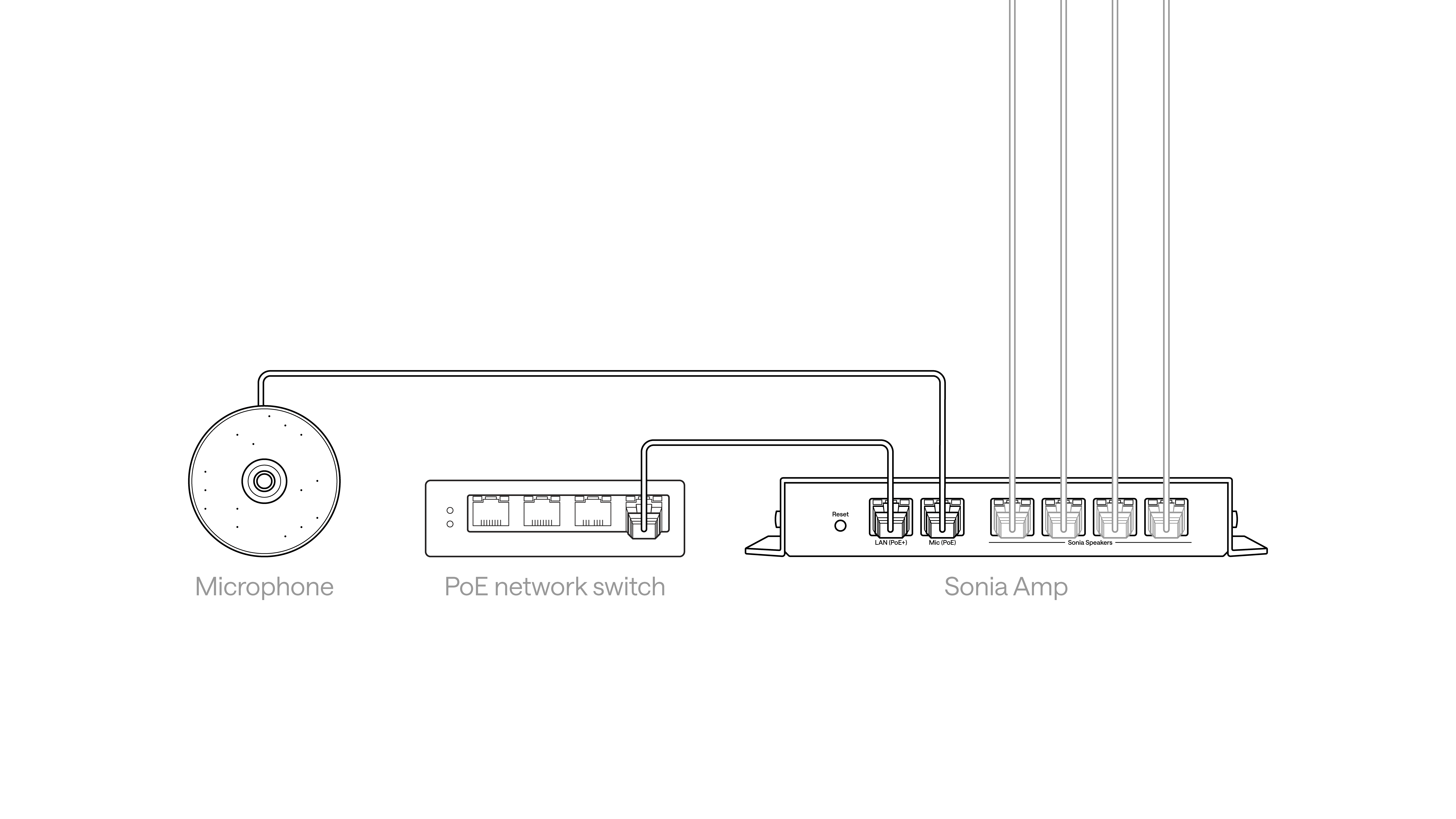
Connect your ceiling microphone to the Sonia Amp:
Plug the microphone into the Mic port on the Amp
If the microphone needs more than one network cable, connect the additional cable directly to the network switch
Installation complete
To finish setting up the room, continue with the Local Deployment guide.
In summary
One Amp mounts directly to the ceiling speaker
Standard network cables for speakers and microphones
Clean, scalable distributed audio