Deploy
Installation
Edited
Checking Sonia Amp compatibility
Confirm a Sonia Amp is supported by RoomHub before installation, using its serial number.
Overview
Sonia Amps with a supported serial number are discovered, deployed, and tuned by Room OS automatically. Check the label before installation to confirm the amp is supported.

Check the serial number
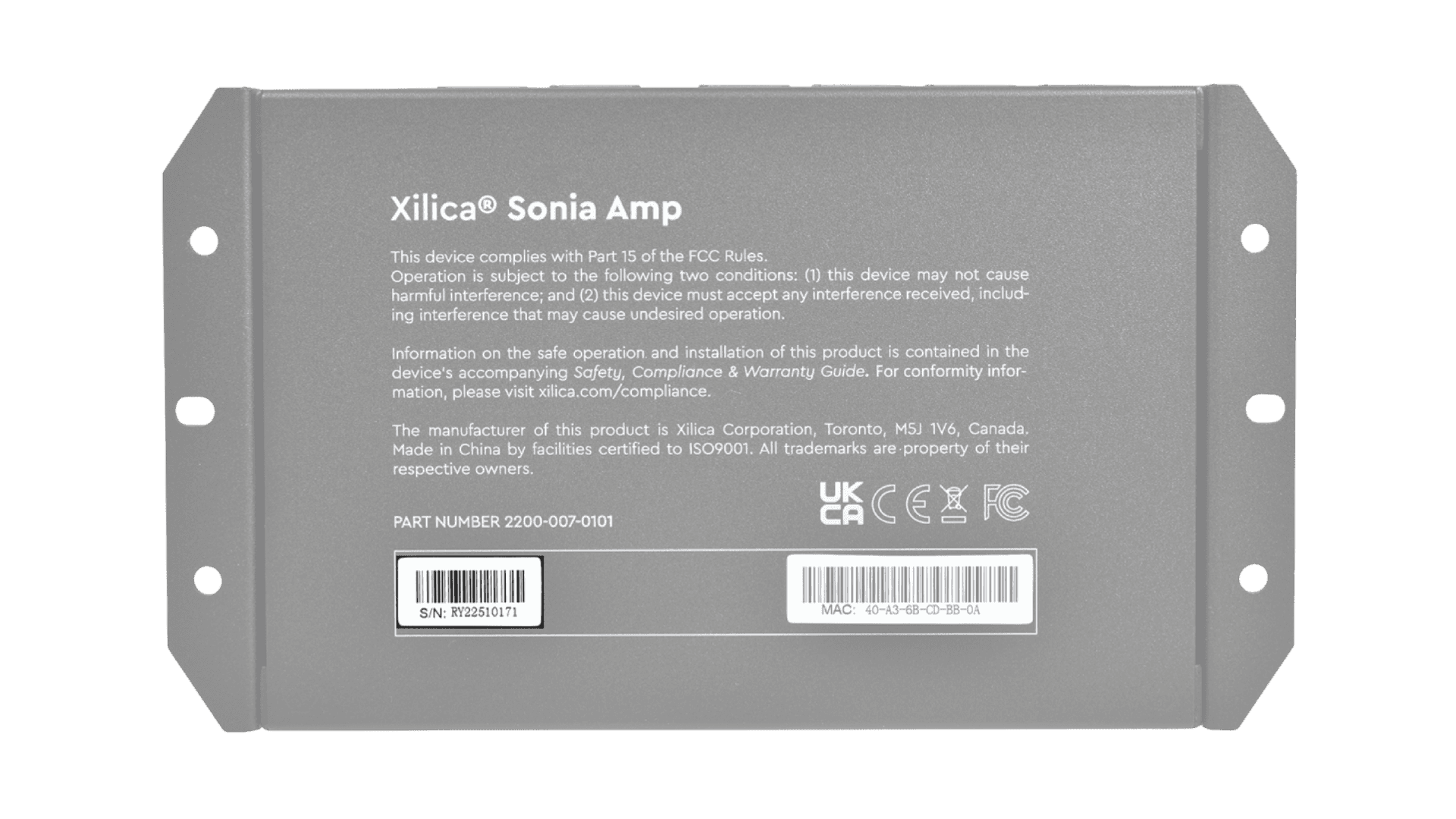
Find the serial number on the product label:
Starts with RY: compatible with RoomHub
Starts with KE: not compatible with RoomHub

If your serial number starts with KE
Amps with a KE serial number aren't supported by Room OS, so RoomHub won't discover or deploy them as part of a Pleneo Room.
Contact your supplier or Pleneo Support to arrange a supported Sonia Amp.
In summary
Check the label before installation:
RY: compatible with RoomHub
KE: not compatible with RoomHub