Deploy
Installation
Edited
Where RoomHub can be installed
Flexible, discreet placement in almost any room, with no fan and no external power.
Overview
RoomHub is compact, so placement stays flexible and predictable, whatever the room layout.

Where you can install it
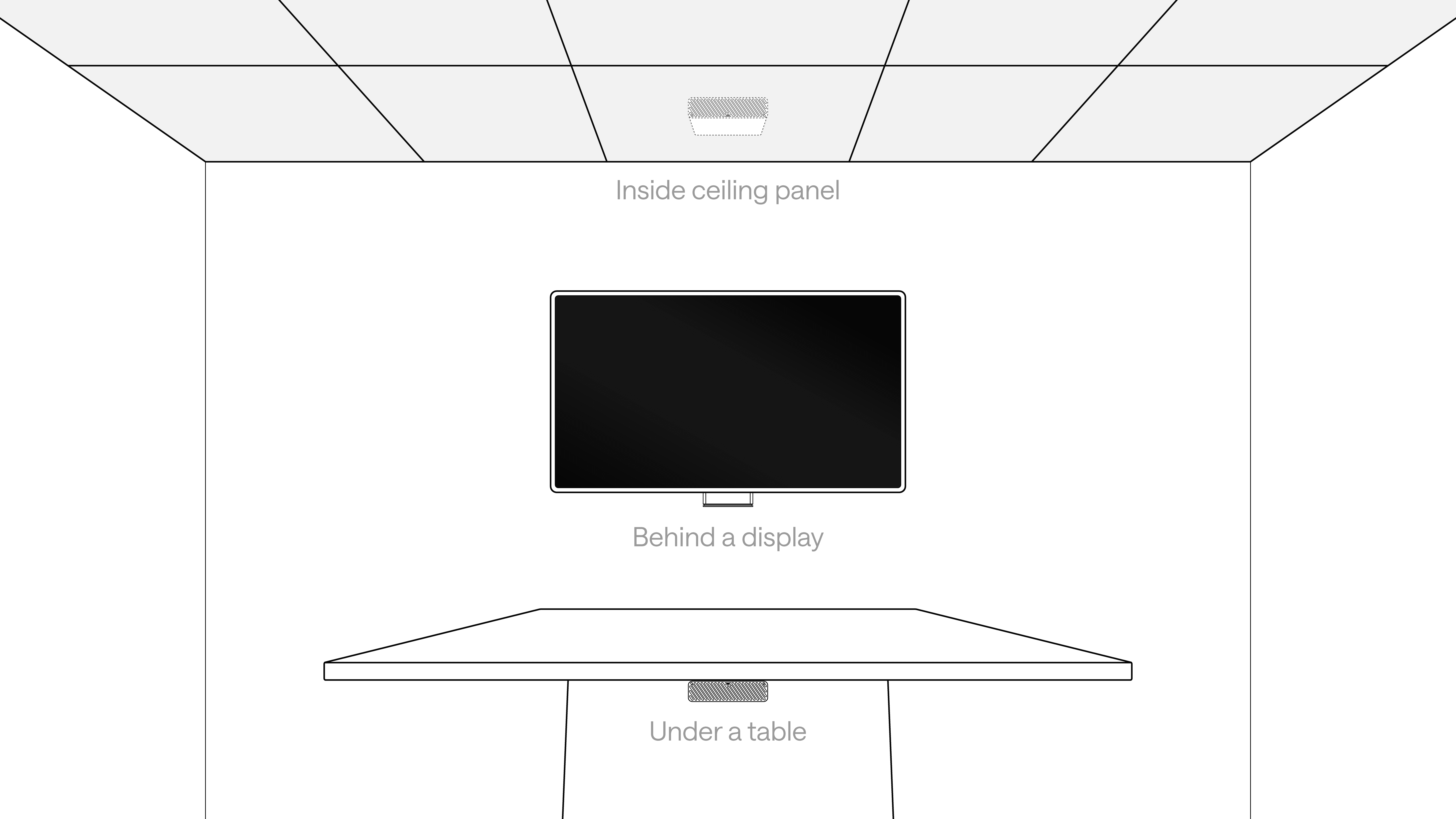
RoomHub can be mounted discreetly in common locations:
Behind a display
Under a table
Inside a ceiling panel
Because it has no fan, it stays silent wherever it's installed.
Placement tips by room type
BYOD rooms
Mount under the table to keep cable runs short and laptops within easy reach
Teams or UC rooms
Place near the room compute for cleaner wiring and easier service
Bluetooth or Auracast use
Keep RoomHub inside the room to improve wireless range and reliability
Why this matters
Clean spaces: no racks, no visible hardware, no fan noise
Simple installs: place it where the room layout makes sense
Clear audio: fanless operation adds no background noise
Efficient power: PoE reduces heat and energy use
Versatile use: works in huddle rooms, classrooms, boardrooms, and larger meeting spaces
In summary
Compact and fanless
Powered entirely by PoE
Flexible placement options
Silent operation