Design
Hardware Overview
Edited
RoomHub - hardware overview
Every connection on RoomHub, and what each one is for.
Overview
RoomHub's ports connect it to room compute, laptops, and external audio equipment. This page covers each connection in turn.
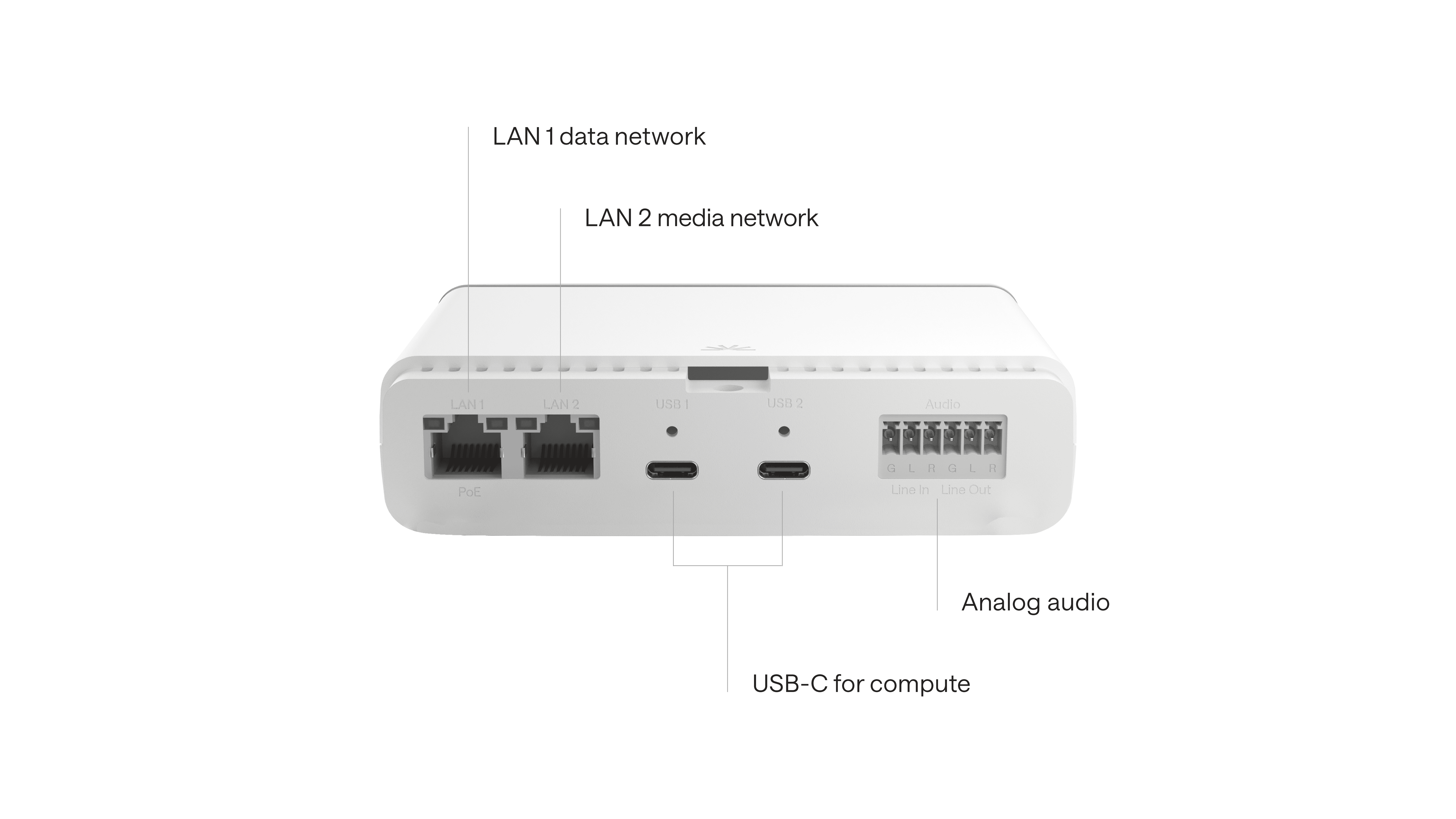

Network ports
Starting from the left, there are two LAN ports:
LAN 1: power, control, and network traffic
LAN 2: audio and video
LAN 1 supports PoE, which powers RoomHub, so no external power supply is required.
USB-C connections
To the right of the LAN ports are two screw-down USB-C ports. These connect RoomHub to your room compute, such as a Microsoft Teams Rooms or Zoom Rooms system, and also support direct laptop connections for BYOD (bring your own device) use.
RoomHub switches automatically to the most recently connected device:
Plug in a laptop, and RoomHub routes audio and control to it straight away
Disconnect, and it switches back to the room system on its own
In fully BYOD setups, it switches cleanly between two laptops with no manual reconnection
Analog audio I/O
Next to the USB-C ports are terminal-block connectors for analogue audio input and output. Use these to:
Connect external audio equipment
Integrate with analogue hearing loops or assistive listening systems
Add flexibility where network or digital audio isn't required
Bluetooth connectivity
Every RoomHub includes a Bluetooth 5.4 module with Auracast™ support. You can pair third-party Bluetooth devices for:
Media playback, for example streaming from a phone or tablet
Wireless meeting participation, connecting to RoomHub directly from a smartphone
In summary
RoomHub brings network, USB, analogue, and wireless connections into one unit:
LAN 1: power (PoE), control, and network traffic. LAN 2: audio and video
USB-C (×2): room system or BYOD, auto-switches between connected devices
Analogue I/O: line-level audio, suited to hearing loops or legacy systems
Bluetooth 5.4: wireless playback and mobile conferencing, with Auracast support