Manage
Hardware Lifecycle
Edited
System Test in Pleneo Cloud
How to run a remote system test for any Pleneo Room using Pleneo Cloud.
Overview
Pleneo Cloud lets you test a room at any time, without being on-site. A System Test checks all devices assigned to the room, helping you confirm that everything is connected, functioning, and ready for use.
———————————————————————————————————————————————
Run a system test
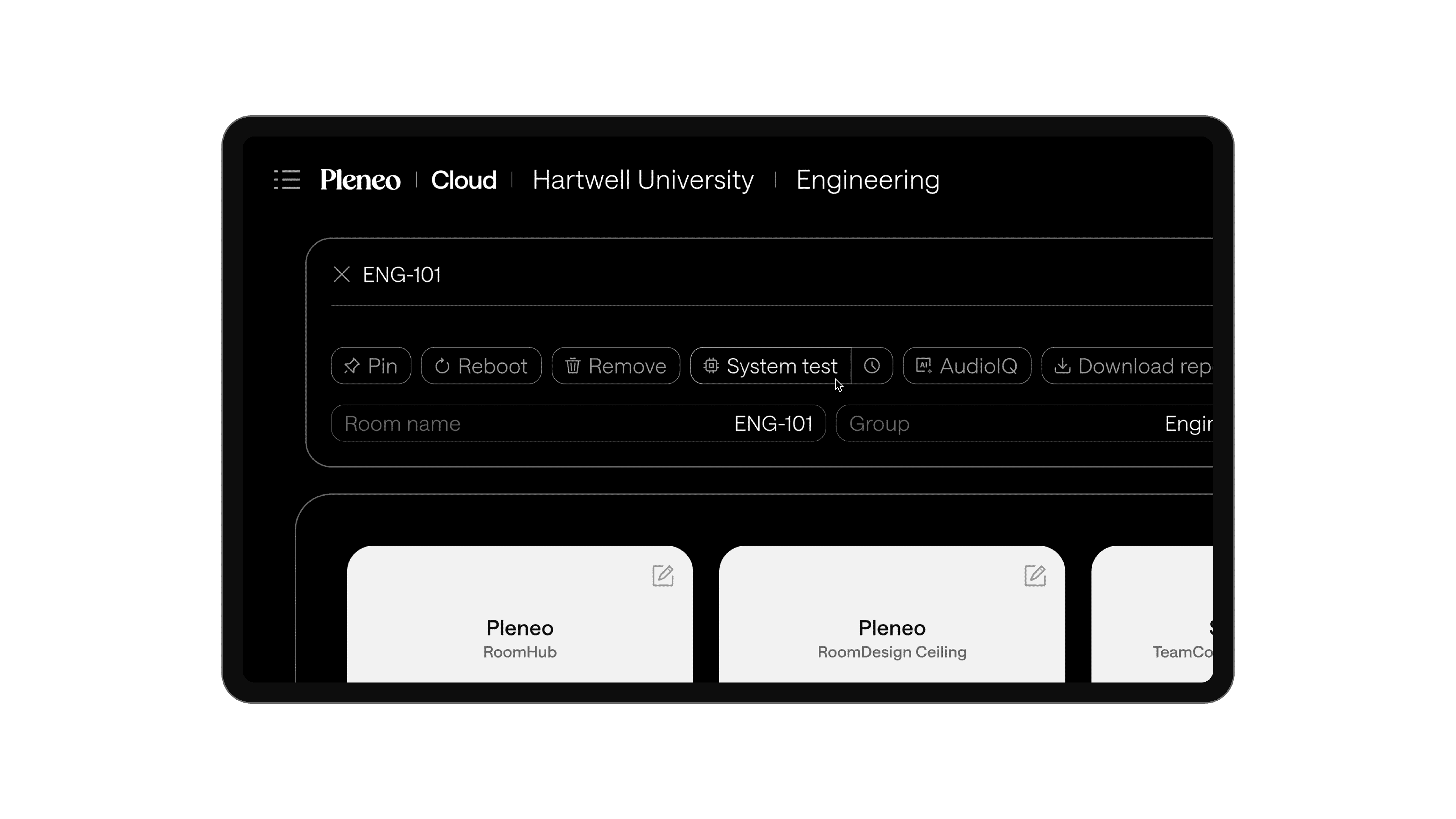
In the main view, select the room you want to test.
Open Room Edit.
Select System Test.
———————————————————————————————————————————————
What happens next
Pleneo Cloud triggers a full system test, similar to the validation performed during AI AutoDeploy™.
The test checks:
Device connectivity
System functionality
Overall readiness of the room
———————————————————————————————————————————————
View the results
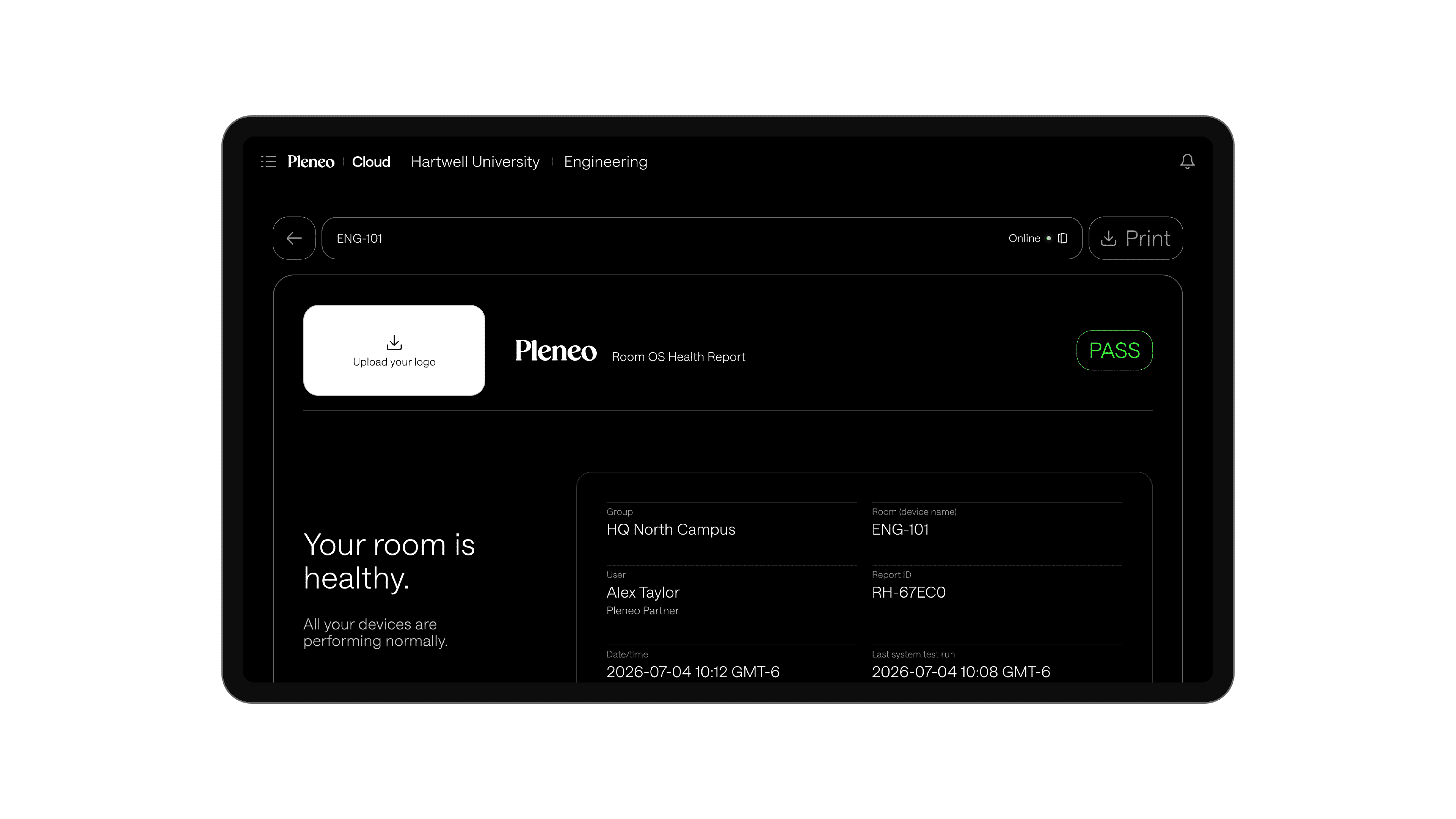
Once the test is complete, the results are available in a detailed report. This report gives you a clear overview of system health and highlights anything that may need attention.
———————————————————————————————————————————————
Why it matters
System Test lets you:
Verify room functionality remotely
Catch issues before users enter the room
Maintain consistent performance across sites
———————————————————————————————————————————————
In summary
System Test checks a room’s devices remotely, so you can catch issues without a site visit.